

Best Ad Placement Strategies for Higher Viewability and Better Revenue
Ad placement can strongly affect viewability, user experience, and advertising performance. The goal is not to place as many ads as possible. The goal is to place ads where users naturally see them without making the page confusing or difficult to use.
This guide explains the best ad placement strategies for higher viewability and better revenue while keeping website usability and publisher policies in mind.
What Is Ad Viewability?
Viewability measures whether an ad was actually in a position where the user could see it. Google uses Active View metrics in its publisher products to report viewable impressions.

Best Website Ad Placement Strategies
1. Place Important Ads Near Content Users Actually Read
Ads placed around strong content sections are more likely to be viewed than units placed where users rarely scroll. Review actual engagement instead of choosing positions only because they are easy to code.
2. Use Above-the-Fold Space Carefully
Above-the-fold ads can receive strong viewability, but do not push the main content too far down the page. Visitors should still see what the page is about immediately.
3. Use In-Content Ads on Long Articles
For long articles, an ad between natural content sections can work well because users reach it while reading. Avoid placing ads after every short paragraph or breaking the reading flow too often.
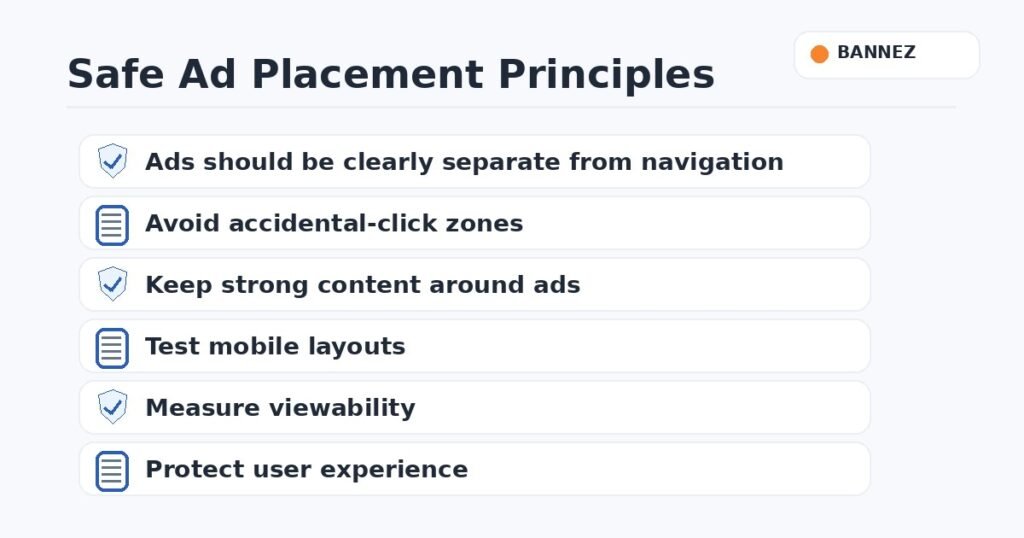
4. Separate Ads From Navigation and Buttons
Ads should never look like menu items, download buttons, next-page controls, or other interactive website elements. Clear spacing reduces accidental clicks and protects user trust.
5. Design Mobile Placements Separately
Mobile screens have less space. Test sticky, in-content, and top placements carefully so ads do not cover content, menus, or important controls.
6. Avoid Loading Too Many Ads at Once
Too many ad requests can slow a page and reduce the overall experience. More ad slots do not automatically mean more revenue.
7. Test Placements With Real Data
Compare viewability, RPM, page speed, session depth, and user behavior before and after changes. A placement that looks good visually may not perform well for your actual audience.
Common Ad Placement Mistakes
- Placing ads too close to buttons.
- Putting an ad where a visitor expects navigation.
- Using too many units on short pages.
- Ignoring mobile layouts.
- Allowing ads to cover important content.
- Placing most ads below content users rarely reach.
- Changing layouts without measuring performance.
Simple Placement Testing Checklist
- Check desktop and mobile separately.
- Measure viewability.
- Compare page RPM.
- Watch page speed.
- Check layout shifts.
- Review accidental-click risk.
- Check whether users continue to other pages.
Need Professional Ad Placement Help?
If your ad network is already approved and you need help placing its ad code on your website, Bannez offers Website Ad Placement & Ad Network Integration. Our team can help implement approved ad units on suitable pages within the agreed service scope.
Frequently Asked Questions
Is above-the-fold always the best ad position?
No. It can have strong viewability, but the best placement depends on page layout and user behavior.
Do more ad units always increase revenue?
No. More units can reduce speed and user experience. Measure the total result.
Should mobile and desktop use the same layout?
Not necessarily. Screen size and user behavior are different, so placements should be tested separately.
Conclusion
Good ad placement balances viewability, revenue, speed, and user experience. Place ads where users naturally see them, keep them clearly separated from controls, and use real performance data to guide changes.
