
How to Fix Ads.txt Errors in Google Ad Manager, AdSense & AdX
An ads.txt warning can reduce confidence in your advertising setup and may stop some buyers from treating inventory as authorized. The fix is usually not complicated, but the file must contain the right seller information and be available where crawlers expect it.
This guide explains how to fix ads.txt errors in AdSense, Google Ad Manager, and AdX step by step.
What Is Ads.txt?
Ads.txt stands for Authorized Digital Sellers. It is a text file placed on your domain that tells advertising systems which companies are allowed to sell or resell your inventory. Google’s official ads.txt guide says ads.txt is not mandatory for AdSense, but Google strongly recommends it.
Common Ads.txt Errors and How to Fix Them
1. Ads.txt File Is Missing
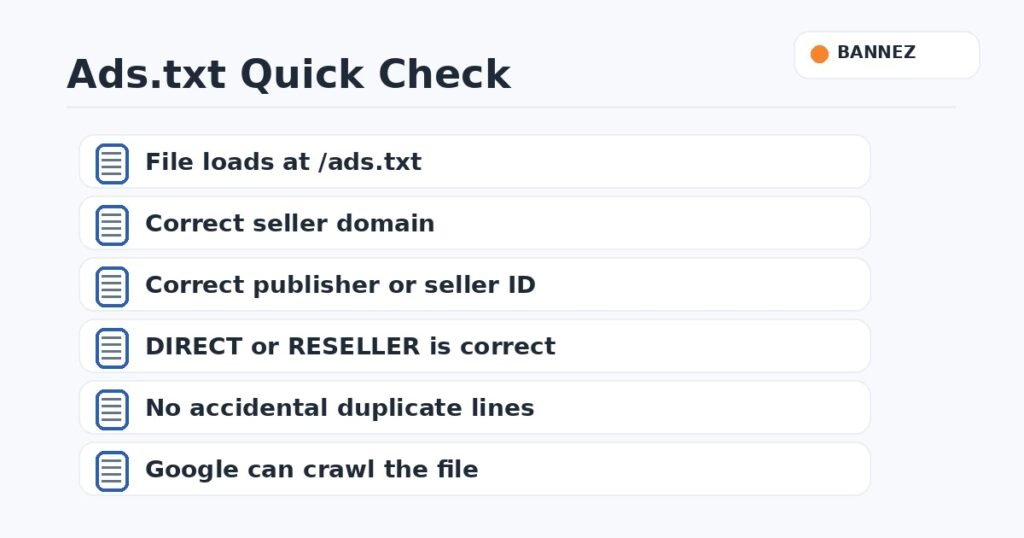
Your file should normally load at the root of your domain, for example https://example.com/ads.txt. If that URL returns a 404 error, create the file or use the method supported by your CMS or hosting.
2. Wrong Publisher ID
Copy the exact publisher or seller ID supplied by your ad network. A single wrong character can make the entry invalid for your account.
3. DIRECT and RESELLER Are Incorrect
Google’s ads.txt FAQ explains that DIRECT means you directly control the account identified in the seller record, while RESELLER means another company is authorized to sell inventory through its account. Use the relationship your provider tells you to use.
4. File Is Uploaded to the Wrong Folder
Putting ads.txt inside a WordPress uploads folder or a random subdirectory will not work as the root file. Test the exact public URL after every change.
5. Redirects or Security Rules Block Crawlers
Cloudflare rules, security plugins, robots settings, country blocks, authentication, or redirect chains can stop crawlers from reading ads.txt. Open the file in a clean browser session and verify that it returns plain text without a login page or error.
6. Duplicate or Old Seller Lines
Old entries are not automatically harmful, but a file full of companies you no longer use can become difficult to manage. Keep records that match your current monetization relationships.
7. AdSense Says “Earnings at Risk” After You Fixed It
Crawlers may need time to see a changed file. Confirm the public file is correct, then allow the platform time to recrawl it instead of repeatedly changing a correct entry.
Basic Google AdSense Ads.txt Format
Use the exact line provided in your account. Google’s example format looks like a seller domain, your publisher ID, the DIRECT relationship, and Google’s certification authority ID. Do not copy another publisher’s ID.
Ads.txt With AdX or an MCM Partner
If you monetize through AdX, MCM, or another reseller, your ads.txt may contain additional seller entries. Add only lines supplied or confirmed by the companies actually authorized to monetize your inventory.
Ads.txt Troubleshooting Checklist
- Open /ads.txt directly in a browser.
- Confirm it returns HTTP content without authentication.
- Check every publisher ID.
- Check DIRECT vs RESELLER.
- Remove accidental formatting or HTML.
- Review redirects and security rules.
- Confirm current partner entries.
- Allow time for recrawling after changes.
Need Help Fixing Ads.txt?
If your ads.txt warning continues or you are not sure which lines belong in the file, Bannez offers Fix Ads.txt Errors & Website Ad Setup Issues. Our team can review the website-side implementation and help correct common setup problems.
Frequently Asked Questions
Is ads.txt mandatory?
Google says it is not mandatory for AdSense, but strongly recommends using it because it helps buyers identify authorized sellers.
Can I have more than one seller in ads.txt?
Yes. A publisher using multiple authorized monetization relationships can have multiple records.
Can a plugin create ads.txt?
Yes, some CMS plugins can manage the file, but always verify the final public /ads.txt URL and its exact content.
Conclusion
Most ads.txt problems come down to location, seller IDs, relationship types, or crawl access. Keep the file simple, use only authorized records, verify it from the public domain, and give advertising platforms time to recrawl after a correct update.
