
WooCommerce Store Setup Checklist for Beginners
WooCommerce Store Setup Checklist for Beginners
A successful WooCommerce store begins with operational planning, not a collection of plugins. Products, payments, shipping, taxes, customer emails, policies, security, performance, and order handling must work together.
Use this beginner WooCommerce setup checklist to move from a new WordPress installation to a tested online store without overlooking critical details.
1. Define the Store Requirements
- Products: physical, digital, virtual, variable, subscription, or booking
- Countries and currencies served
- Inventory and fulfilment process
- Payment methods
- Shipping zones, carriers, rates, and delivery estimates
- Tax responsibilities
- Returns, refunds, support, and privacy requirements
- Required integrations and reports
2. Prepare Domain, Hosting, SSL, and Email
Choose hosting appropriate for expected traffic, catalogue size, concurrent checkout activity, backups, staging, and support. Enable HTTPS and configure reliable transactional email delivery. A store that cannot send order emails creates avoidable support problems.
3. Install WordPress and WooCommerce
Use supported software versions, remove unused components, and follow the official WooCommerce setup documentation. Configure the store address, selling locations, currency, units, and basic product settings.
4. Choose a WooCommerce-Compatible Theme
Select a responsive, maintained theme that presents products, filters, cart, checkout, account pages, and notices clearly. Avoid choosing solely from a demo screenshot.

5. Configure Store Pages and Navigation
- Home, Shop, product categories, and product pages
- Cart, Checkout, and My Account
- About, Contact, FAQ, and support
- Shipping, Returns, Privacy, Terms, and other required policies
Add logical menus, search, breadcrumbs where useful, category access, and clear contact routes.
6. Add Products Properly
Product Content Checklist
- Clear product name and unique description
- Price, sale schedule, SKU, stock, and backorder rules
- High-quality optimized images and useful alt text
- Categories, attributes, and variations
- Dimensions, weight, shipping class, and fulfilment details
- Related, upsell, or cross-sell products where genuinely useful
7. Configure Payments
Select providers available for your business location and customer market. Review transaction fees, settlement timing, refunds, disputes, supported currencies, authentication, and account requirements.
- Use test or sandbox mode first.
- Test successful, failed, cancelled, and refunded payments.
- Confirm order status and email behavior.
- Restrict administrator access and protect credentials.
8. Configure Shipping
Create shipping zones from specific to broad, then assign methods and rates. Test representative addresses, cart weights, free-shipping thresholds, local pickup, remote areas, and product restrictions.
9. Review Tax Configuration
Tax obligations depend on jurisdiction, products, customer location, registrations, and business structure. Collect accurate requirements from a qualified professional, then configure and test WooCommerce accordingly. Do not copy another store’s settings.
10. Configure Inventory and Order Management
- Stock reduction and low-stock thresholds
- Backorders and hold-stock duration
- Order statuses and fulfilment ownership
- Packing, tracking, cancellation, and refund workflow
- Customer and administrator email notifications
11. Publish Clear Policies
Explain shipping areas and estimates, return eligibility and process, refunds, payment terms, privacy, cookies, warranties, support channels, and any product restrictions. Obtain legal advice appropriate to your jurisdiction.
12. Secure and Back Up the Store
- Use unique administrator accounts and strong authentication.
- Keep WordPress, WooCommerce, theme, and extensions updated.
- Use least-privilege roles.
- Back up files and database on a suitable schedule.
- Test restoration and use staging for significant changes.
- Monitor errors, suspicious activity, and uptime.
13. Optimize Store Performance
Compress appropriately sized product images, use quality hosting and caching suited to ecommerce, minimize unnecessary extensions, and measure product, category, cart, and checkout pages separately. Never cache personalized cart and checkout responses incorrectly.
14. Configure SEO and Analytics
- Unique titles, descriptions, headings, and product copy
- Clear slugs and category structure
- Useful internal links and breadcrumbs
- Image alt text
- Indexing and canonical review
- Analytics, search tracking, ecommerce events, and consent where required
15. Test the Complete Customer Journey

- ☐ Search, filters, categories, and product variations
- ☐ Coupons, taxes, shipping, and totals
- ☐ Guest and account checkout
- ☐ Every enabled payment method
- ☐ Order and customer emails
- ☐ Mobile and keyboard use
- ☐ Empty cart, invalid input, failed payment, and out-of-stock cases
- ☐ Refund and cancellation process
16. Prepare the Launch
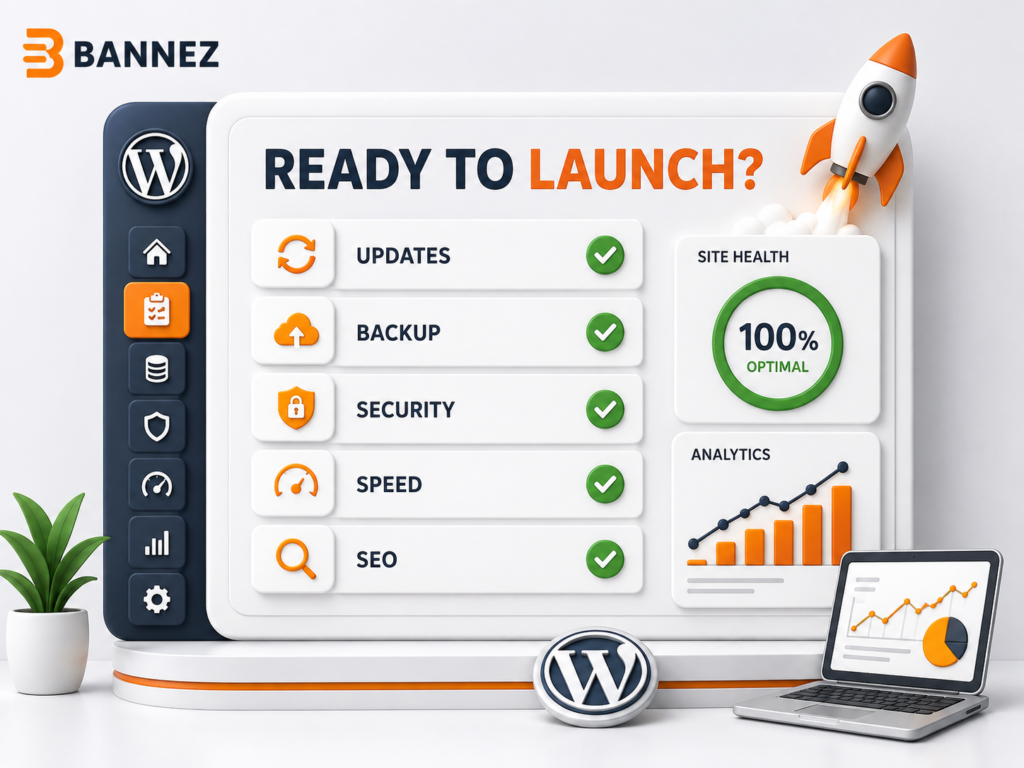
- ☐ Maintenance and visibility settings checked
- ☐ Live payment credentials enabled
- ☐ Final backup verified
- ☐ Cache cleared and pages reviewed
- ☐ Analytics and search tools connected
- ☐ Support and fulfilment teams ready
- ☐ Monitoring and rollback plan assigned
Professional WooCommerce Setup Help
If you need the store configured, designed, and tested professionally, explore our Premium WooCommerce Store Development for WordPress service. Provide your products, countries, currencies, payment and shipping requirements, policies, and design references.
Frequently Asked Questions
How long does WooCommerce setup take?
It depends on product count, variations, content readiness, design, integrations, shipping, tax, and testing. A basic catalogue and a complex operational store have very different scopes.
Can I launch with only one payment method?
Yes if it is reliable and appropriate for the target customers, but test failure, refund, and settlement workflows carefully.
Do I need staging?
Staging is strongly recommended for configuration, extension updates, theme changes, and checkout testing.
Conclusion
Work through this WooCommerce store setup checklist in sequence: requirements, infrastructure, products, payments, shipping, tax, policies, security, performance, SEO, testing, and launch.
Do not open the store until a real customer can complete the entire journey and your team can fulfil, support, cancel, and refund the order correctly.
