
WordPress Theme Installation vs Theme Customization: What Is the Difference?
WordPress Theme Installation vs Theme Customization: What Is the Difference?
WordPress theme installation and theme customization are often treated as the same service, but they solve different problems. Installation makes a theme available and active on your website. Customization changes that theme so the website reflects your brand, content, audience, and business goals.
Understanding the difference helps you choose the right work, set a realistic budget, and avoid expecting a fully branded website from a basic theme setup. This guide explains what each service normally includes, what it does not include, and when you may need both.
WordPress Theme Installation vs Customization at a Glance
| Area | Theme Installation | Theme Customization |
|---|---|---|
| Main goal | Install and activate a working theme | Adapt the theme to your brand and requirements |
| Typical work | Upload, install, activate, required plugins, demo import | Colors, fonts, layout, header, footer, pages, responsive adjustments |
| Content | Usually sample/demo content | Your real text, images, products, and calls to action |
| Design result | Usually similar to the original demo | More unique and aligned with your business |
| Time required | Usually shorter | Depends on the number and complexity of changes |
| Best for | A ready-made starting point | A website that must match a clear brand or purpose |
What Is WordPress Theme Installation?
Theme installation is the technical process of adding a theme to WordPress and making it active. WordPress explains that themes control how a website is displayed through templates, stylesheets, images, and other files in its official guide to working with themes.
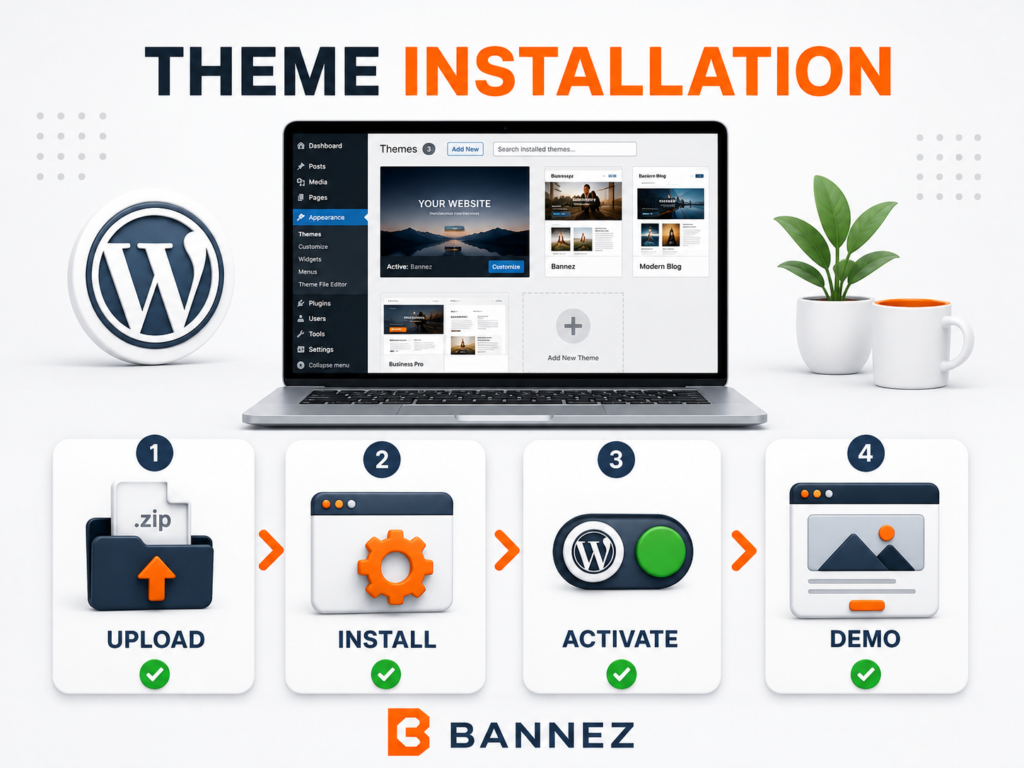
What Theme Installation Usually Includes
- Uploading the installable theme ZIP
- Installing a required parent theme when applicable
- Activating the selected theme or child theme
- Installing required theme plugins
- Importing one available demo when included in the agreed scope
- Checking that the basic theme loads correctly
What Theme Installation Usually Does Not Include
- Changing the complete design to match your brand
- Writing or replacing website content
- Creating new custom page layouts
- Adding features that are not included with the theme
- Advanced speed, SEO, security, or conversion work
- Custom PHP, JavaScript, or plugin development
The exact scope depends on the theme and the service agreement. A demo import can make the website resemble the advertised demo, but it does not automatically turn the demo into a finished business website.
What Is WordPress Theme Customization?
WordPress theme customization means changing an installed theme to suit a real website. The work may use built-in theme options, the Customizer, the Site Editor, a page builder, custom CSS, or safe code changes, depending on the theme and requirements.
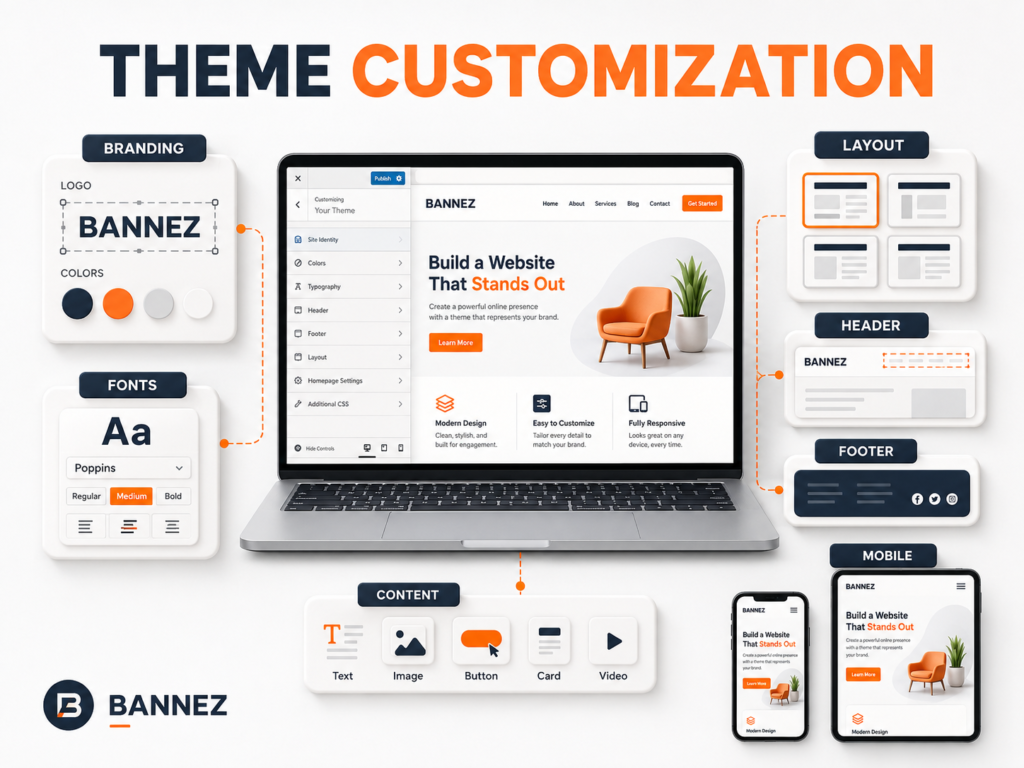
Common Theme Customization Tasks
- Adding the correct logo, favicon, colors, and typography
- Changing the header, footer, menus, and navigation structure
- Editing homepage and inner-page layouts
- Replacing demo text and images with real business content
- Adjusting spacing, buttons, forms, cards, and content sections
- Improving desktop, tablet, and mobile presentation
- Configuring theme options and available templates
For block themes, WordPress provides the Site Editor and global Styles controls. The official Styles overview explains how colors, typography, layout, spacing, and block appearance can be managed across a website.
Customization Is Not Always Custom Development
Changing options already provided by a theme is customization. Building a new feature that the theme does not support may require custom development. For example, changing button colors is customization; building a complex booking system is a separate functional requirement.
The Main Differences Explained
1. Setup vs Transformation
Installation creates the technical starting point. Customization transforms that starting point into a website suited to your identity and goals.
2. Demo Content vs Real Content
An imported demo normally contains sample text, images, pages, and links. A customized site replaces or reorganizes those materials so visitors see accurate information about your business.
3. Default Design vs Brand-Specific Design
After installation, the site normally uses the theme developer’s design choices. Customization introduces your logo, brand colors, fonts, page hierarchy, and calls to action.
4. Fixed Process vs Variable Scope
Installation follows a relatively predictable process. Customization varies according to the number of pages, design changes, content, supported features, and mobile requirements.
5. Basic Check vs Detailed Testing
Installation testing confirms that the theme activates and its basic pages load. Customization testing should also check menus, forms, buttons, responsive layouts, browser presentation, and the pages changed during the project.
When Do You Need Only Theme Installation?
Installation may be enough when:
- You want the theme demo as a temporary starting point.
- You plan to replace and edit all content yourself.
- The theme already matches your required design closely.
- You only need help with upload, activation, plugins, and demo import.
- You are building a practice, staging, or personal test website.
If this matches your goal, you can explore our WordPress Theme Installation & Demo Setup service. It is intended for users who already have a theme and need help with its technical setup and available demo.
When Do You Need Theme Customization?
Customization is the better choice when:
- The website must use your real branding and content.
- You need changes to page layouts, header, footer, or navigation.
- The imported demo does not fit your business structure.
- You want a consistent layout across multiple pages.
- The mobile presentation needs adjustment.
- You need the theme’s available options configured professionally.
If you need these changes, you can review our Complete WordPress Website Customization with Any Theme service. Our team customizes the supplied theme within the agreed service scope and available theme capabilities.
When Do You Need Both Services?
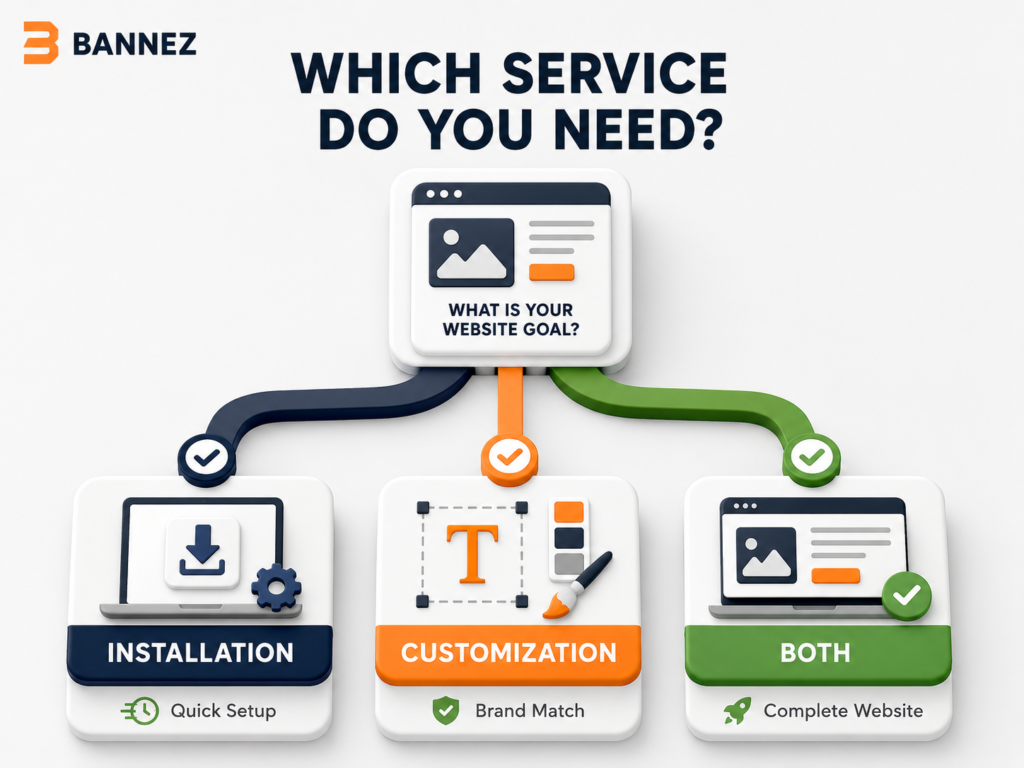
Many new websites need both. The theme must first be installed and configured, then customized with branding, content, layouts, menus, and responsive adjustments. Combining the work creates a clearer path from a theme ZIP file to a usable website.
Questions to Ask Before Choosing
- Do I only need the demo installed, or do I need a finished business website?
- Do I already have a logo, colors, text, and images?
- How many pages must be changed?
- Does the theme already include the features I need?
- Will I provide a reference design or use the theme demo as the guide?
- Do I need mobile layout adjustments?
- Are custom functions or third-party integrations required?
Answering these questions makes the project scope clearer and helps separate theme changes from new feature development.
Common Mistakes to Avoid
- Assuming demo import completes the website: Sample content still needs to be reviewed and replaced.
- Editing theme files directly: Updates may overwrite direct changes. Use supported settings or a child theme where appropriate.
- Choosing a theme only by appearance: Check its features, support, updates, and compatibility first.
- Adding too many plugins: Install only what the website actually needs.
- Ignoring mobile layouts: Review every important page on smaller screens.
- Starting without a backup: Keep a restorable copy before activation or major changes.
Frequently Asked Questions
Is demo import the same as theme customization?
No. Demo import copies available sample layouts and content. Customization changes those materials to match your real brand, pages, and requirements.
Can I customize a theme without importing its demo?
Yes. You can start with the theme’s default templates or build pages using its supported editor. Demo content is optional unless the chosen workflow depends on it.
Will theme customization survive updates?
Changes saved through supported theme settings, the Site Editor, or a properly configured child theme are generally safer. Direct edits to parent-theme files can be overwritten by an update.
Does customization include adding any feature I request?
No. Customization normally works with the theme’s existing capabilities. A feature not supported by the theme may require a plugin, integration, or separate custom development.
Conclusion: Choose the Service by the Result You Need
Choose theme installation when you need a theme uploaded, activated, and prepared as a starting point. Choose theme customization when you need that starting point changed to match your brand, content, layout, and audience. Choose both when you want to move from a theme package to a more complete and professional website.
Before ordering any service, define your required pages, content, design references, and features. A clear scope prevents confusion and ensures that installation, customization, and custom development are treated as separate types of work.
